Venturing into 250cm quadcopters

20141116_233219

My quadcopter

Hey all sorry it’s been so long! I promise I’ve got a tutorial on the way for a super simple and easy to build nixie clock that I’ve designed. Anyway I thought I’d share my quadcopter build. This isn’t a tutorial! I’ve included a BOM at the end, and I encourage anyone who’s experienced in putting electronics together to give it a shot! If you’re interested but intimidated, I’d be up for building and tuning a quadcopter for you for a very reasonable price! If you want to get into this hobby, I highly recommend you to buy a cheap toy quadcopter like this one and learn to fly — I guarantee it will save you money and frustration in the long run. I’m also rank 1 jet/heli pilot in BF4 and I can say it flies similar to a small chopper when using the FPV system (wireless camera First Person) :P

Inspiration

https://www.youtube.com/watch?v=5rAAB8-nLx8

Check out some other racing mini quads
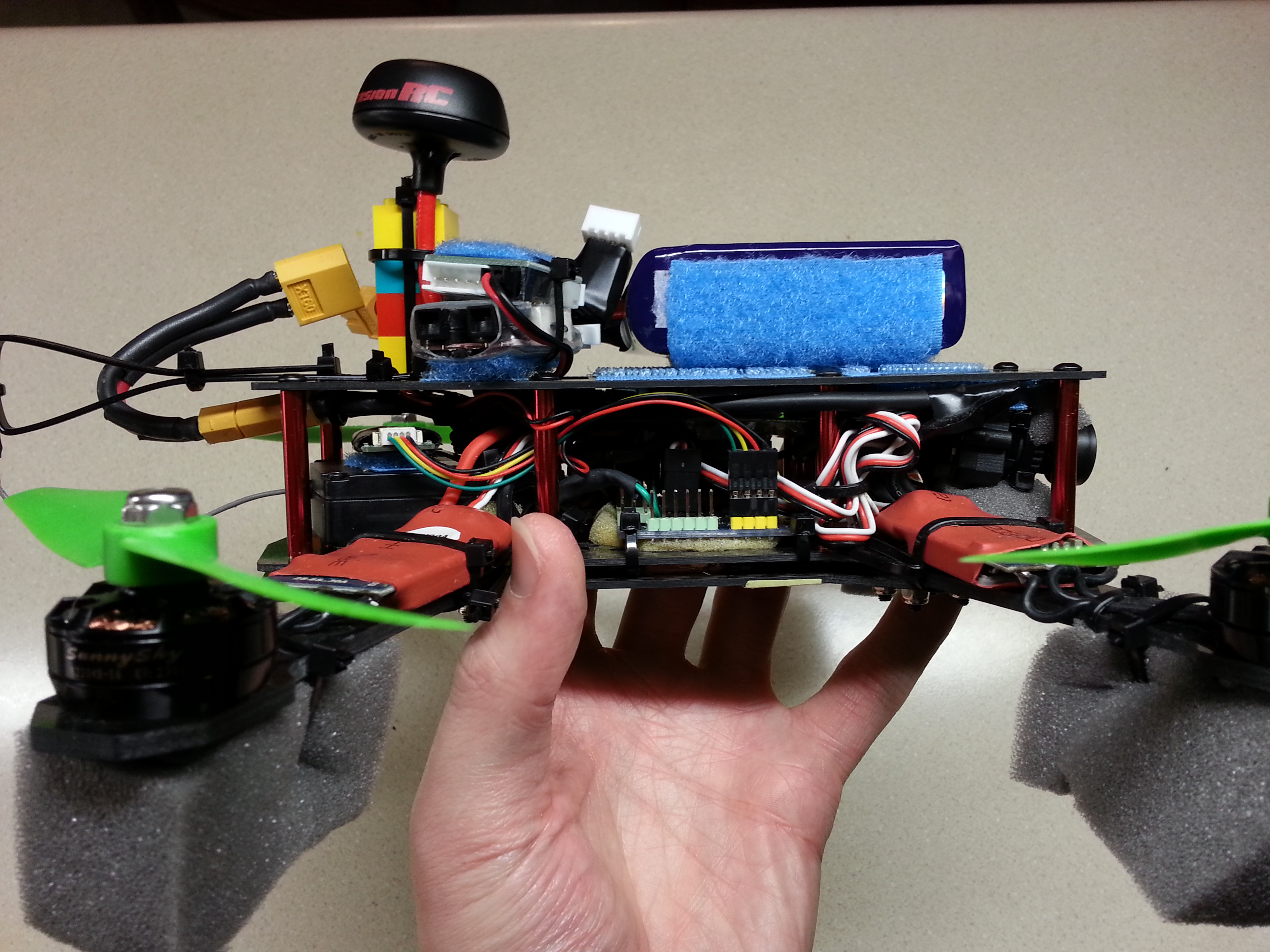
20141116_233356

Better view of electronics and camera

BOM

The BOM is what/where I bought parts. Don’t forget that multirotors need ESCs that don’t do any input filtering. Get an ESC (like in the BOM) flashed with SimonK firmware or an equivalent. Check out my youtube video’s description for latest parts.

My BOM

Overall my quad is flying like an absolute champ! Unlike the QAV250, it doesn’t have a battery hanging way out the rear, which has caused the QAV250 to have some notoriously bad flight characteristics due to poor weight distribution. The only thing I’d change are the 20A escs which are overkill on 3s maybe get a 12A esc, but a 20A esc compatible with a 4s battery would really put this quad into overdrive — I’ve read the motors can handle 4s but may fail if pushed to hard.

Some terms

What is this ‘s’ mentioned above? It stands for the number batteries in series in a battery pack:  4s = 4*4.2v = 16.8v, 3s = 3*4.2 = 12.6v. A fully charged lipo = 4.2v per cell.

Also in my BOM I have a high ‘C’ battery. C determines how much current the battery is rated for. To find this max current take the C*mAh/1000 = max continuous amps. So a 1300mAh, 45-90C battery can do 45*1300/1000 = 58.5 amps continuously, but can handle a spike of 90*1300/1000 = 117 amps. In this field a spike is generally less than 10 or 5 seconds.

Senior Design

20130428_204455For my senior design I wanted to incorporate MEMS sensors and show off how awesome they are. The immediate project that came to mind was a segway style robot, or a quad copter. I mentioned these ideas to my mentor (Dr. Kocanda), but he suggested not to do those projects since they pop up fairly regularly. I recruited two others and we got to it!

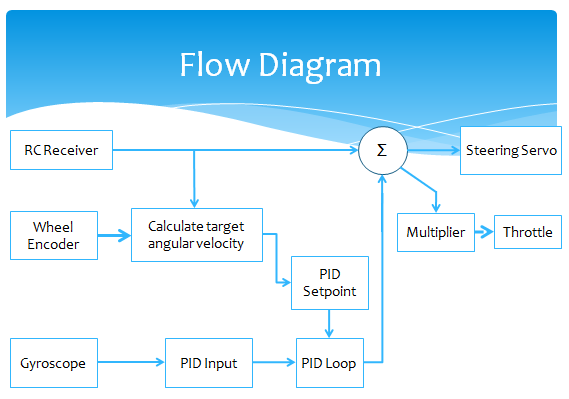
So we tried to come up with some creative content and thought it would be a great idea to stabilize a vehicle with as few sensors as possible and incorporate a gyroscope. In the end we had two sensors: a gyroscope and a wheel encoder. We also needed the angle of the front wheels, but we assumed the steering servo would maintain whatever angle we were sending it, so that really makes it three inputs.flow diagram

The control system will try to stabilize the vehicle by compensating the steering and reducing throttle. In the video below I maintained a fairly constant throttle and just occasionally made minor adjustments. My steering input is displayed, and you can see the steering output – see video intro.

The hardware we went with was the adafruit boarduino for the microcontroller, parallax gyroscope module available at radioshack, two xbees – one serving as serial/programmer and the other as a kill switch for the inevitable times when something goes wrong and it takes off uncontrollably =P We were able to wirelessly tune and graph everything in real time without a restart. We could also wirelessly (and reliably) reprogram the arduino. For the vehicle we purchased an RC drift car from hobbytown usa.

A very rushed project!

A very rushed project!

Results? Decent, not great. I think the slow analog steering servo was a problem. I also noticed that at high speeds even if the system appropriately responded, the car would still spin out. In the end it’s worth mentioning that the system is purely reactive.

We should have added a simple proactive system – have the max steering angle allowed a proportional function of speed. At high speeds the driver shouldn’t be allowed to try to turn on a dime.

The system was pretty rough, but look at the time line! Not much time to complete this project and we were all taking a full load of classes while involved in various other extracurriculars. All of the engineering senior designs do take part in a senior design competition and we did end up coming in second.

Breadboards work surprisingly well with vibration! =P

Breadboards work surprisingly well with vibration!

I’ll keep the blog post short, but more can be found in the reports below:

Vehicle Stabilization Presentation – #3.2 (ppt)

Final Report (pdf)

Bode Plot on an Oscillscope

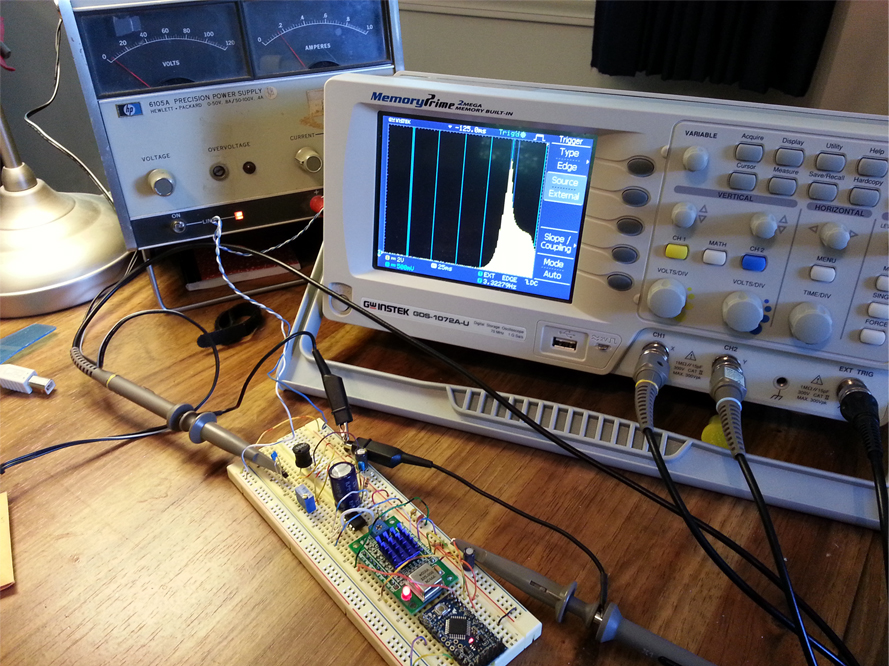
intropicMaybe you’re learning about filters and want to see the how your filter responds in the 10Hz to 1MHz range. This guide will show you how to make a low frequency ‘spectrum analyzer with tracking generator’ using a few cheap modules and an oscilloscope — Based off of a video done by Dave Jones over at EEVBlog. Dave does a great job going into the theory, so check out the video if you want to see how it works! He will also show you how to set up the scope. Check out my video below for the reader’s digest version.

Some important notes

For the audio crowd — the vertical scale is still in volts, not decibels. There is also no information on phase shift.

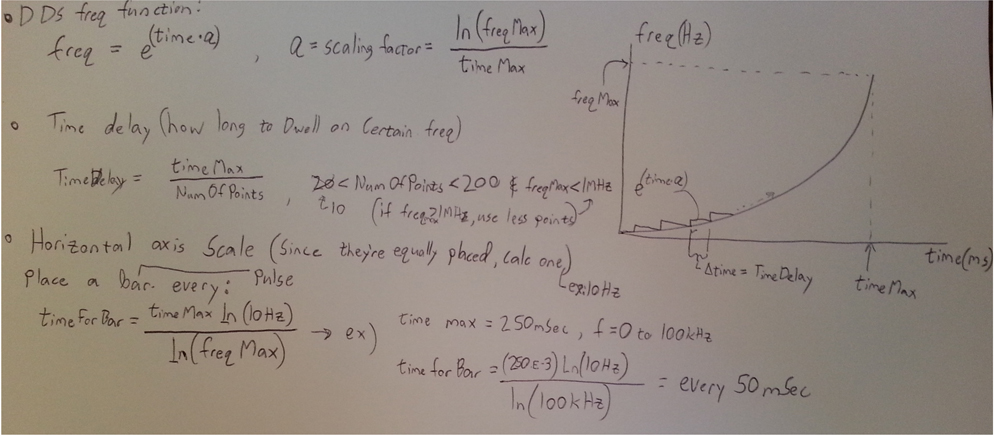
Arduino math

Arduino math

Brief Theory

The circuit from this guide generates a sine wave and the frequency of this sine wave ramps up exponentially. This creates a logarithmic axis on the horizontal axis of your scope. The filter under test will then react differently as the frequency is ramped up. Finally everything will be displayed on the oscilloscope which is synced via the external trigger. The oscilloscope and the arduino will also need  the same time settings.

a

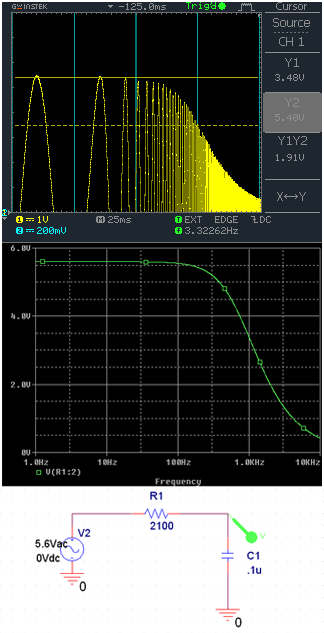
15Hz-10Khz sweep with simulation

a

15Hz-1Mhz sweep with simulation. marker at 50Khz (approx peak)

One major problem is that the oscilloscope’s horizontal axis markings aren’t going to be placed correctly all the time. To solve this the microcontroller will calculate where the axis bars should be and generate a 1ms pulse at 10Hz, 100Hz, 1000Hz, etc… The two screenshots show different generated axis and there are some simulations to compare results.

Hardware

For this project I used an arduino (breadboard friendly) to do the timing/math/markings, but the star of the show here is the AD9850 DDS sine wave generator. It’s easiest if you are using a breakout for the AD9850. Luckly they can be found on ebay for about 5$ with free shipping! This seems to be the breakout specs from the original creator — EIM377_AD9850 (pdf)

Schematic

Schematic, add some decoupling caps as in the next photo

The AD9850 also needs a buffer amplifier. I decided to use the TS922IN from adafruit as a unity gain amplifier. Many op amps will do the job just fine, but get one that doesn’t require a dual power supply and has a high current output. If you want to do any impedance matching or if your filter is low impedance, be sure to add an appropriate terminating resistor.

Wire everything up and get you scope hooked up!

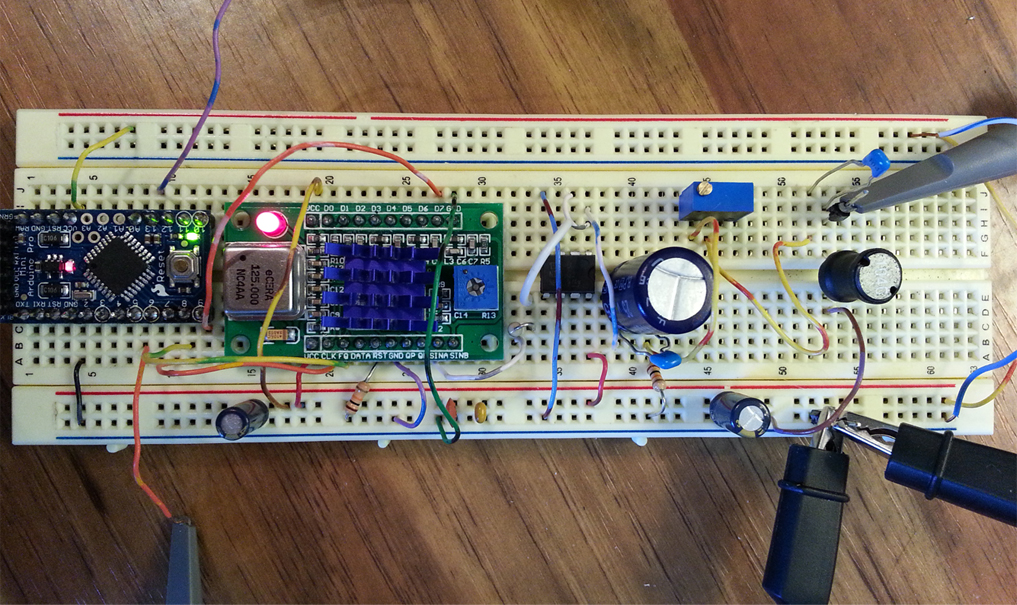
Completed circuit

Completed circuit (with filter on the right)

Code

What a mess! I coded this pretty quick and fudged a few things =P You’ll want to jump down to sweepTime_mS and get ready to input the correct values — I’ll cover these in the video.

https://github.com/thefatmoop/bode

Why did I have a bunch of these DDS modules floating around? They had something to do with an LCR meter I built ;p — more on that hopefully soon!